The Most Productive Way
to Use Claude Code
Work on multiple projects while Claude thinks.
Never wait idle again.
macOS & Windows — we'll email you the link
Claude Code Is Powerful, But...
Every Claude Code user hits the same frustrations. Here's what we fixed.
You Wait. A Lot.
Claude thinks for 30-120 seconds. You're stuck watching the spinner, unable to work on anything else. Your flow is broken.
Context Switching Hurts
Switching between projects means reloading context, re-explaining requirements, and losing precious minutes every single time.
Claude Forgets Everything
Every new session starts from zero. No memory, no learning. You repeat the same explanations over and over.
Sound familiar? You're not alone.
Everything You Need, Nothing You Don't
Multi-agent chat, visual Kanban, persistent memory, terminal management, and more — all in one native desktop app.
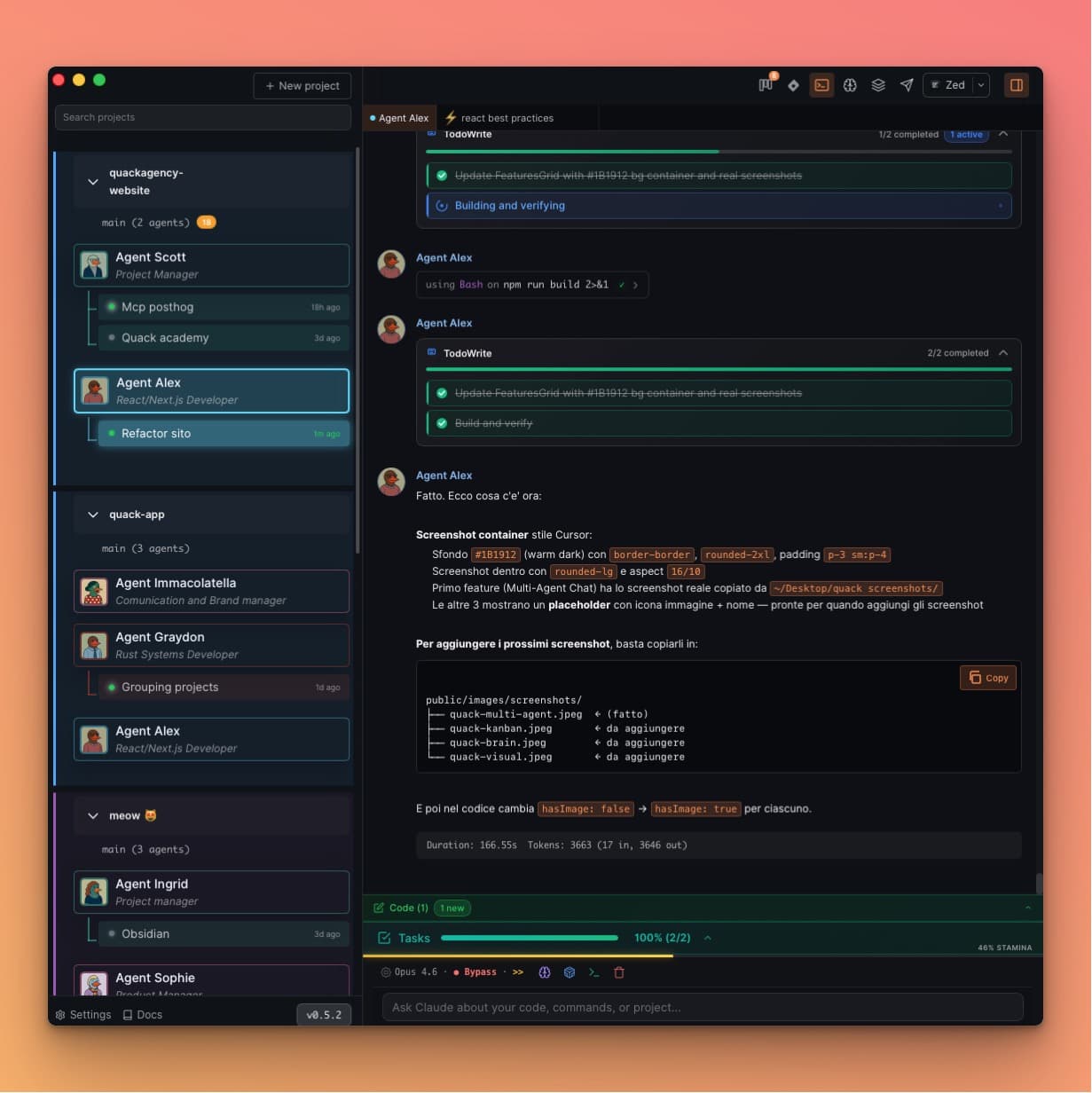
Multi-Agent Chat
WhatsApp-style interface. See all your duck agents at once with unread indicators and status badges. Each agent has its own personality, skills, and memory.
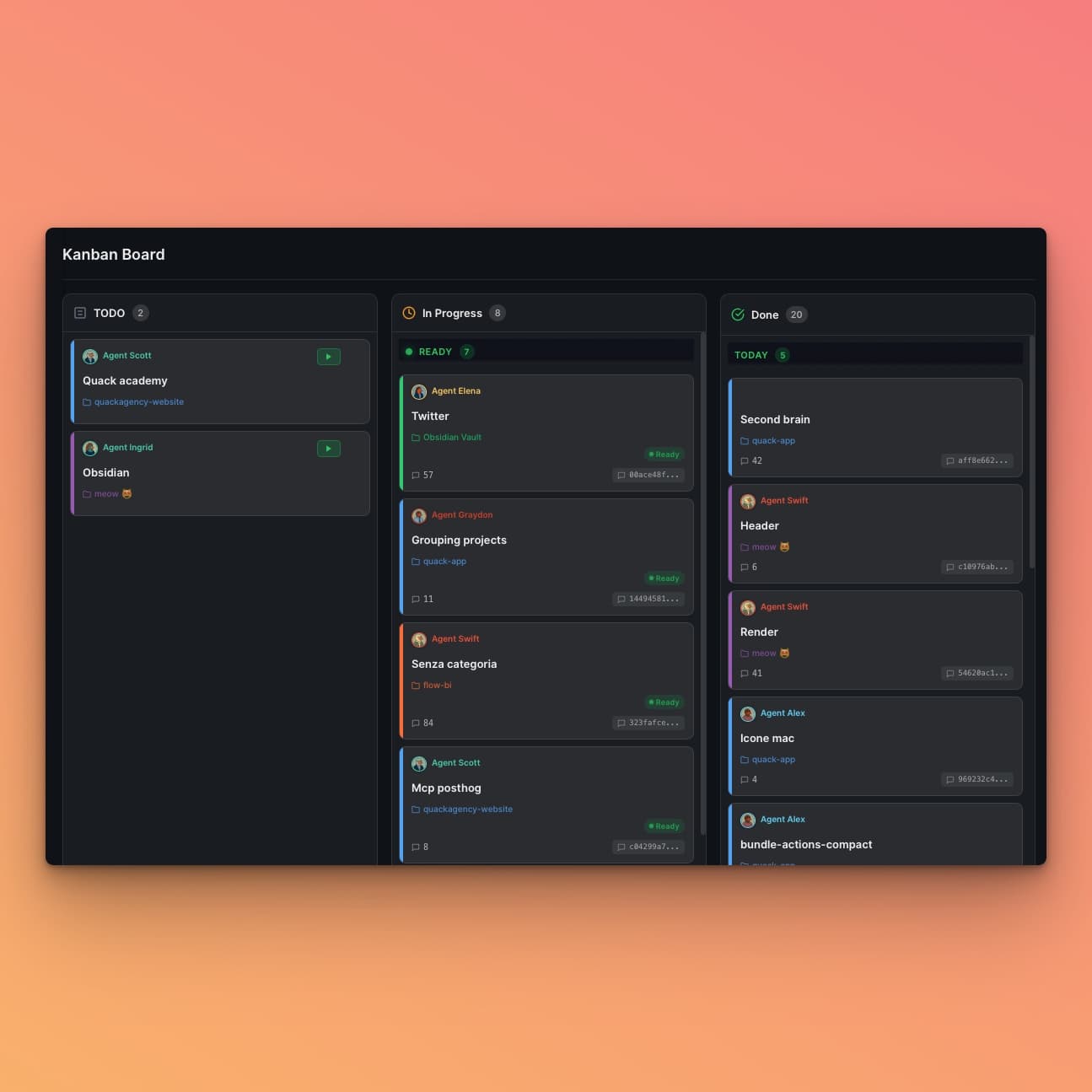
Kanban Task Management
Trello-style board to create tasks, assign to duck agents, and track progress visually. Drag to Done for automatic documentation.
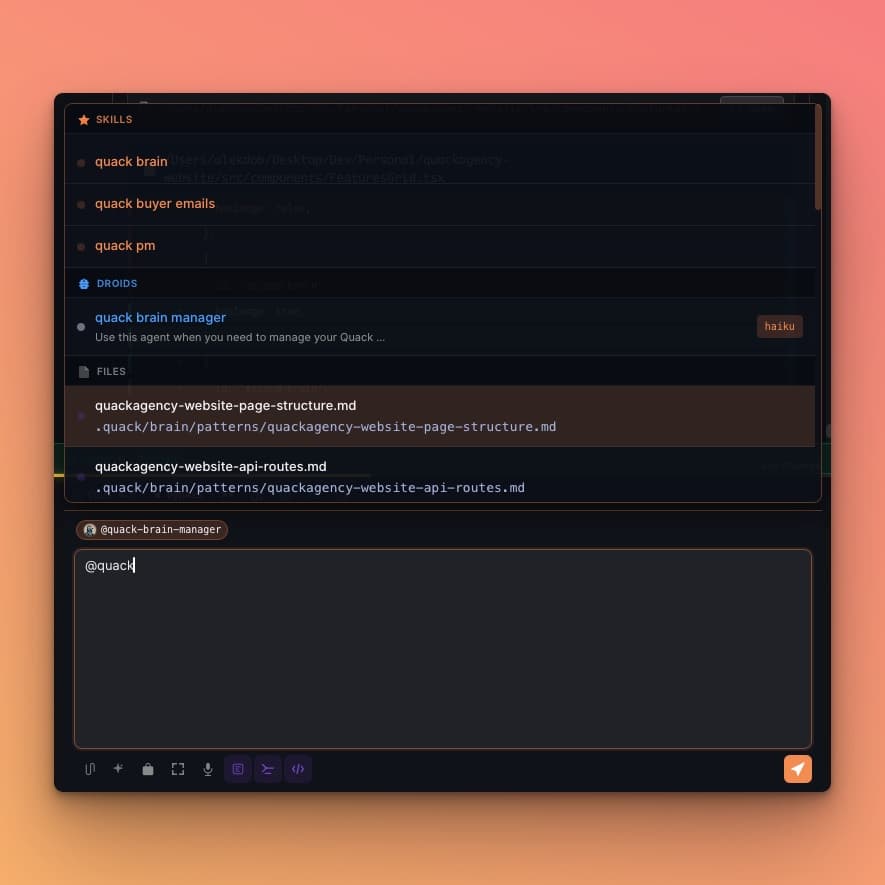
Second Brain & Memory
Persistent knowledge layer with Obsidian-style graph. Your ducks remember patterns, decisions, and fixes across all sessions — no AI amnesia.
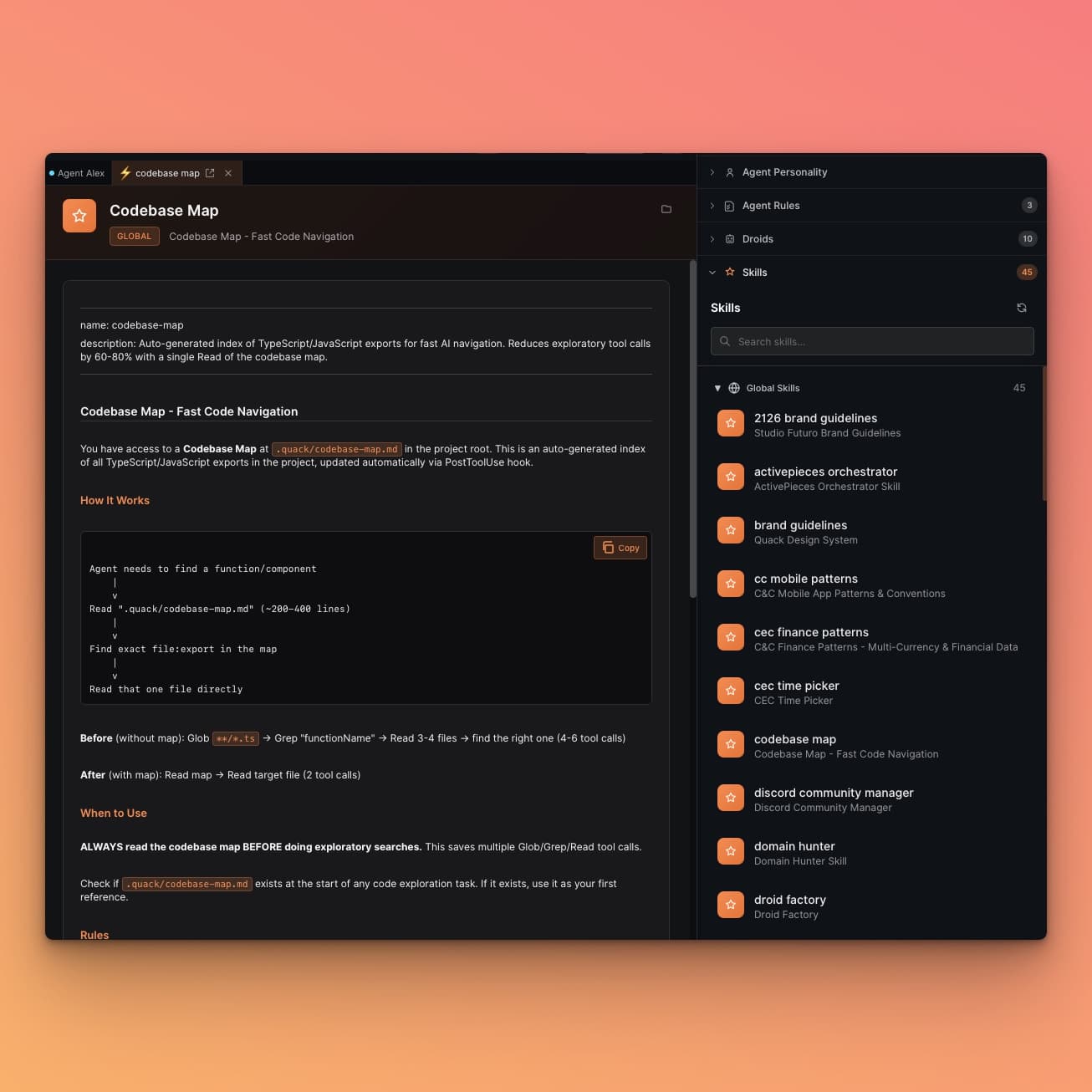
Visual Claude Code
CLAUDE.md, skills, hooks, subagents, MCP — everything has a visual interface. Configure visually, no more editing config files by hand.
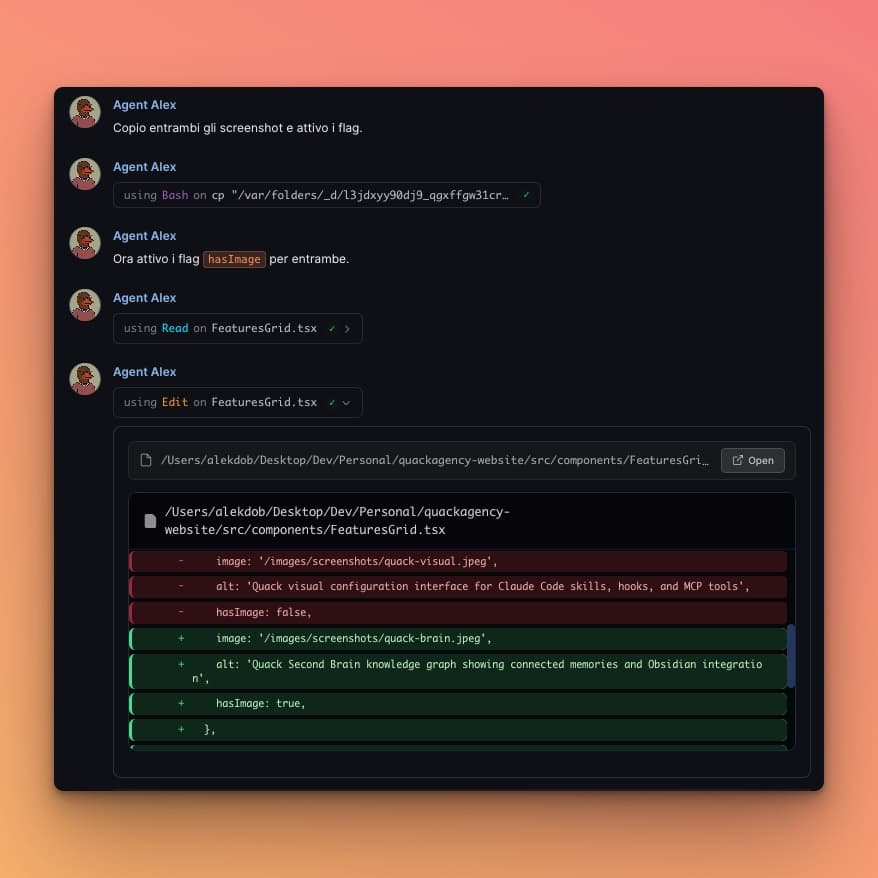
Crystal Clear Output
Every agent response is beautifully formatted with syntax highlighting, diff views, and inline file paths. Read code changes at a glance — no more squinting at terminal walls.
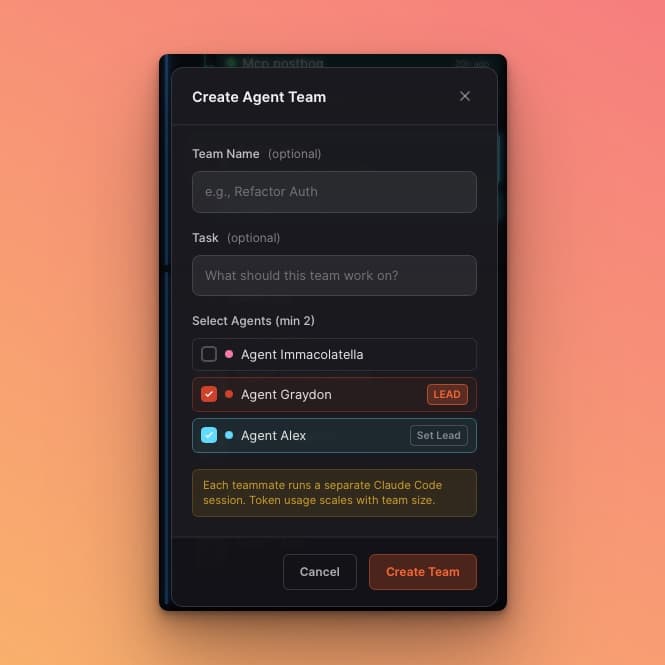
Agent Teams
Spin up coordinated squads of AI agents that research, build, and debug in parallel. Each teammate has its own context and can communicate directly — like a real dev team, but instant.
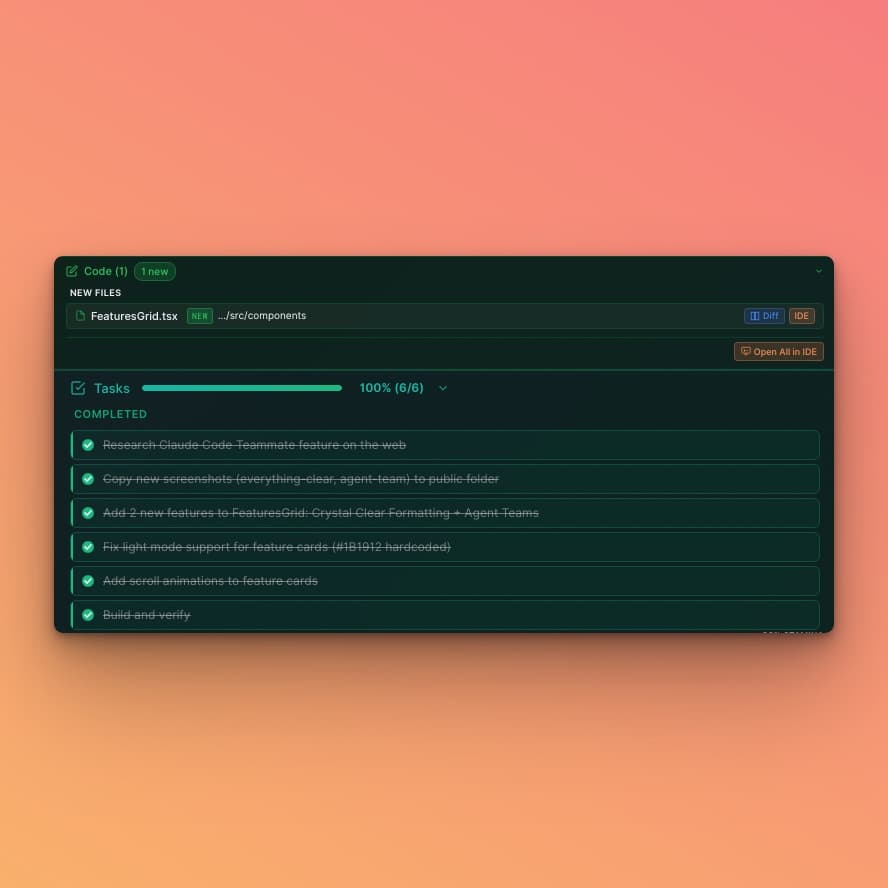
Task Progress & Code Tracking
See exactly what each agent is doing in real time. Progress bars, completed checklists, and file diffs — all in one view. Know what changed, what's left, and what's done.
Everything Else You Need
Every detail polished. Every workflow covered.
Telegram Notifications
Get instant alerts when agents finish tasks. Stay updated without staring at the screen.
Import & Export Agents
Share agent configurations with your team. Export as JSON, import in one click.
Direct Chat Support
Talk directly with the makers. Real humans, real answers, no ticket queues.
Custom Backgrounds
Make it yours. Set personal wallpapers and themes to match your vibe.
Custom Keybindings
Remap every shortcut. Vim-style, Emacs, or your own — full keyboard control.
Voice Input
Dictate prompts with your voice. Talk to your agents like a real conversation.
File Explorer
Browse your project files visually. Open, preview, and navigate without the terminal.
Markdown Reader
Beautiful rendering of README, docs, and notes. Syntax highlighting included.
Terminal Manager
Integrated terminal for each project. Run commands alongside your agents.
Your Ducks, Your Rules
Design your perfect AI team member from scratch. Pick an avatar, define a personality, equip skills and rules — each duck becomes a specialized expert.
Hey, I'm Marcus
React Expert

Hey, I'm Sophie
Next.js Architect

Hey, I'm James
Backend Engineer

Hey, I'm Nina
UX Designer

Hey, I'm Oliver
DevOps Master

Hey, I'm Leo
TypeScript Wizard

Hey, I'm Daniel
Project Manager

Hey, I'm Maya
Flutter Developer

Hey, I'm Kai
AI Specialist

Hey, I'm Emma
SEO Strategist

Hey, I'm Zack
Swift Expert

Hey, I'm Chloe
QA Engineer

Hey, I'm Alex
Security Auditor

Hey, I'm Aria
Data Scientist

Hey, I'm Hugo
Rust Developer

Hey, I'm Marcus
React Expert
Hey, I'm Sophie
Next.js Architect
Hey, I'm James
Backend Engineer
Hey, I'm Nina
UX Designer
Hey, I'm Oliver
DevOps Master
Hey, I'm Leo
TypeScript Wizard
Hey, I'm Daniel
Project Manager
Hey, I'm Maya
Flutter Developer
Hey, I'm Kai
AI Specialist
Hey, I'm Emma
SEO Strategist
Hey, I'm Zack
Swift Expert
Hey, I'm Chloe
QA Engineer
Hey, I'm Alex
Security Auditor
Hey, I'm Aria
Data Scientist
Hey, I'm Hugo
Rust Developer
a pizza
Upload or choose from gallery
Role, tone, communication style
Specialized capabilities on demand
Coding standards & constraints
Don't Know Where to Start?
Pre-configured agents with field experience, dedicated skills, and best practices. Just install and start building.
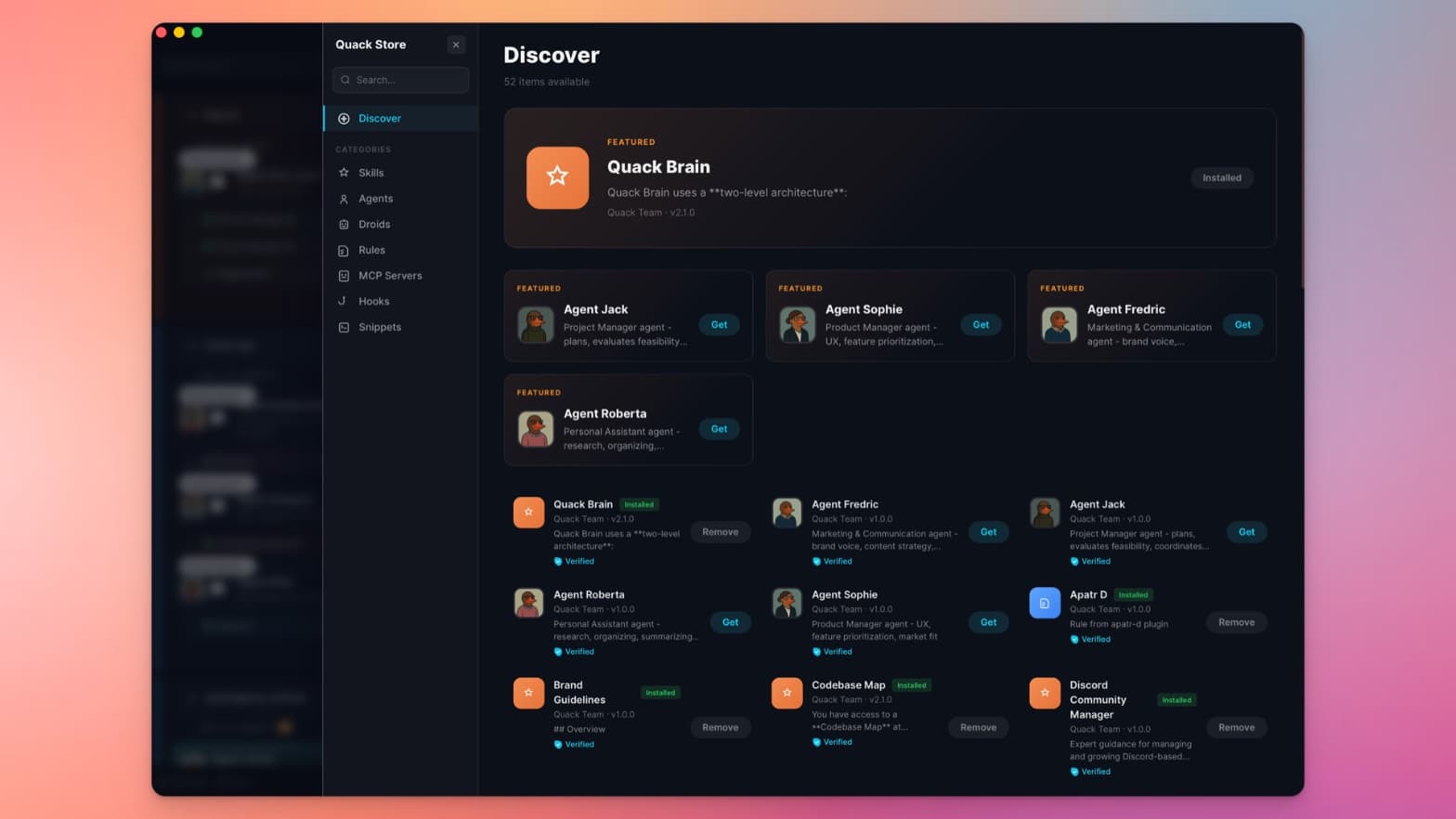
Agent bundles with avatar, personality, skills, and rules. Real-world experience baked in.
Browse, tap Get, done. Skills activate immediately — no config files, no restarts.
Verified skills from the community. Install counts and trust signals help you pick the best.
We Ship Fast
Active development, real updates. No vaporware.
Quack 0.6.1
- Stop button now works on first click when input is focused
- Updated to latest Claude Agent SDK with improved stability
- Proper native binary signing for macOS notarization
Quack 0.6.0
- Fixed notification badge flickering
- Fixed file paths with spaces in IDE commands
- Fixed WebView memory leaks causing high CPU/RAM
Quack 0.5.21
- Fixed Node.js detection on macOS
- File Explorer enhancements and context menu fixes
- Performance optimizations and minor bug fixes
Free Forever. Pay Only for Expertise.
Quack is free for everyone — unlimited agents, no limits. We sell skills, setup, and consulting.
Everything you need — free forever.
Get productive in 1 hour
Build your business with Quack
Quack is an indie project built with zero funding. If it helps your workflow, consider supporting us — every contribution keeps the project alive.
🍕Buy us a pizzaQuestions? Reach out to quack@quack.build — we respond to every message.
Frequently Asked Questions
What is Quack?
Quack is a native desktop GUI for Claude Code that lets you work on multiple AI coding sessions simultaneously. It's built with Tauri + React and provides a visual interface for managing Claude Code projects, agents, terminals, and more.
Is Quack free?
Yes! Quack is completely free — unlimited agents, no limits, no catches. We offer personal setup sessions (€79), an Expert program with resell rights (€149), custom skill packs, and enterprise consulting for teams (from €299). The app itself is free forever.
How many Claude Code sessions can I run?
There's no limit — Quack is free with unlimited agents. Run 10, 20, or 30+ Claude Code sessions in parallel. The only limit is your machine's resources.
Does Quack work with other AI tools?
Quack is built exclusively for Claude Code. It's an opinionated choice — we believe building deeply for one ecosystem is better than building shallowly for many. That said, Quack works perfectly alongside your IDE (VS Code, Cursor, etc.).
What platforms does Quack support?
Quack is available for macOS 12.0 or later (Apple Silicon & Intel) and Windows x64. Linux is planned for a future release.
Is my data safe?
Yes. All your data stays on your machine. Quack uses local storage only — no cloud sync, no external servers, no tracking. Your code, conversations, and projects never leave your computer.
Can I make money with Quack?
Yes! With the Quack Expert plan (€149), you get 2 hours of advanced setup with the founder, a dedicated Discord channel, your profile on our Experts page, and the right to resell Quack consulting to your own clients at your own rate. Freelancers and consultants use it to add AI development tooling to their services — one client covers the cost.
Can I get a refund?
Quack is free, so there's nothing to refund for the app itself. For Gumroad purchases (skill packs, personal setup), we offer a 30-day money-back guarantee — just email us at quack@quack.build, no questions asked.
Start Building with Quack Today
Download for free, join our Discord community, and never wait for Claude again.
Or Join DiscordBuilt by indie developers with zero funding — used by early adopters building the future of AI coding
Built by Alek Dobrohotov & Antonio Lorè
🍕 Not Silicon Valley. Puglia, Italy. 🇮🇹